BORGCOLLECTIVE

A collective. Under your control.

YOUR MACHINES.
YOUR AGENTS.
ONE COLLECTIVE.

Our own collective runs on one shared memory, a small judge that keeps it clean, and agents from three providers across a fleet of Macs. Explore it part by part, then build your own.

Independent & open source. BORG code: MIT ↗

A dark industrial cube ship floating in space, with layered metallic plates, recessed channels and green illuminated details.
Your collective. In orbit.
YOUR CONTEXT. YOUR COMPUTE. YOUR CALL.Enter the collective

01 / THE SHIP’S MAP

Eleven cubes.
One collective.

This is the collective we run every day, drawn as a Borg ship. Select a cube to open its card. Every part you open is marked as explored.

HOW IT FITS TOGETHER

One day in the collective.

  1. 01

    An agent works.

    Its tool calls and facts flow toward memory through the incoming filter, where JEV keeps what’s durable.

  2. 02

    A task starts. An answer is due.

    When the agent starts a task, JEV builds its context packet. When it answers, recall hands it the best memories.

  3. 03

    Night.

    The dream consolidates what was written that day. The deep dream runs a full pass on demand.

  4. 04

    Morning.

    Cache cleanup frees the disk the agents filled.

  5. 05

    All day.

    The judge kit grades outcomes, checks claims, guards sends and briefs, and raises drift alarms. The routing scoreboard feeds back into where the next agent runs.

  6. 06

    Every experiment.

    Each one is written up in the lab notes.

The ship’s manifest

Every part, in plain words. Readouts are from the running system on 25 September 2026.

CUBE 01 · THE CORE

The memory core

The collective’s shared memory.

What it does
Holds what the agents learn, in scopes: personal, team, operations and project. A local vector store finds notes by meaning, and a temporal graph keeps track of how facts connect over time. Agents write to it as they work and read from it before they answer.
Why it exists
So a lesson one agent learns on one studio doesn’t have to be learned again by every other agent the next morning.

≈122,000 memories, in four scopes

CUBE 02 · THE JUDGE

JEV, the judge

A small, fast model that makes narrow calls.

What it does
Answers narrow questions through a typed API, such as “is this a durable fact or a tool echo?” or “are these two notes the same fact?”, and returns a choice with its confidence. Every lane that uses it has a signed grant, a daily budget and pinned source hashes. Its receipts hold ids, hashes and counts, never memory text.
Why it exists
The big agents should spend their attention on the work, not on housekeeping. If JEV is unavailable, each lane falls back to its old behaviour: nothing breaks and nothing is lost.

5 lanes live, each with its own grant and budget

CUBE 03·1 · JEV LANE

Recall

Chooses what an agent sees before it answers.

What it does
Before an agent on the main studio answers, JEV ranks the memory candidates and picks what goes into its context.
Why it exists
An agent’s context is small. A few well-chosen memories help more than a pile of loosely related ones.

590 of 591 prompts where recall applied, over six hours

CUBE 03·2 · JEV LANE

The incoming filter

Judges new facts before they are stored.

What it does
Drops tool echoes and telemetry fragments before they reach memory. Each drop is first saved to an owner-only recovery copy. It ran for 24 hours in shadow first, judging everything and dropping nothing.
Why it exists
Keeping noise out of memory is cheaper, and safer, than cleaning it up later.

0 of 116 would-be drops were durable facts, all read by hand

CUBE 03·3 · JEV LANE

Dreaming

Tidies memory every night.

What it does
Retires duplicates with a reversible marker that recall honours. JEV must be at least 90% sure that two notes are the same fact. Chain protection keeps any note that another marker points to.
Why it exists
Memory that repeats itself crowds out what matters. Retiring instead of deleting means a mistake can always be put back.

≥90% sure, before two notes count as one fact

CUBE 03·4 · JEV LANE

Cache cleanup

Frees disk space every morning.

What it does
Picks disposable caches to quarantine: at most 5 units or 1 GiB a day. Nothing is purged for 7 days, and anything can be restored until then.
Why it exists
Agents fill disks with caches. A slow, reversible cleanup frees space without surprises.

7 days to change our minds before anything is purged

CUBE 03·5 · JEV LANE

Context packets

A starter kit for every job.

What it does
When an agent job starts, JEV assembles a small packet of the files most relevant to its brief. The original brief is kept exactly as written.
Why it exists
An agent that starts with the right files spends less time looking for them.

48 real jobs got packets on 25 September, every brief preserved byte for byte

CUBE 04 · ON DEMAND

Deep dream

A full clean-up pass, when we ask for one.

What it does
Goes through the whole memory: exact duplicates, near-duplicates judged by JEV, tool echoes and stale machine snapshots. One command restores a whole wave.
Why it exists
The nightly dream works on one day at a time. The deep dream catches what built up before.

3,133 memories retired by 09:36 on day one, checked by recall tests and payload snapshots

CUBE 05 · ALWAYS ON

The judge kit

Quality checks that run on their own.

What it does
Grades every hour whether recalled memories were actually used, and whether a “done”, “green” or “live” claim has evidence in the same turn. Guards every client message, so only orchestration-tier models can send. Stops a delegated brief that has no acceptance check, artifact or stop condition. Raises drift alarms every 15 minutes, and keeps an hourly routing scoreboard.
Why it exists
Agents can be confidently wrong. Quiet, constant checks catch it early, and the scoreboard feeds back into where the next agent runs.

6 always-on checks: two hooks guard sends and briefs, four run on a schedule

CUBE 06 · THE FLEET

The fleet

Seven Macs, called studios.

What it does
Runs agents from three providers, Claude, Codex and Grok, on seats and conductors. Work is placed by measured capacity, not guesswork. Agents message each other through an Inbox with signed authority grants, and track work in Beads, a shared task graph.
Why it exists
Many agents need one plan, and people need their own machines. One studio is held for the owner and takes no agent lanes.

7 studios and 3 providers, with 1 studio held for the owner

CUBE 07 · THE HULL

The rules

What makes the whole ship trustworthy.

  • Reversible by default. Retire, quarantine and mark, rather than delete.
  • Receipts without text. Ids, hashes and counts, never memory text.
  • Fail open. If a check is down, fall back to the old behaviour.
  • A budget and a grant for every model call.
  • An independent code review before every change we install.
  • An exact undo for every change we install.

6 rules that make the collective trustworthy

02 / THE COLLECTIVE IN TWO MINUTES

Shared memory.
Kept clean. Always undoable.

Three questions people ask first, answered plainly.

01

What is the collective?

One owner runs a team of AI agents from three providers across seven Macs. The agents share one memory, so what one learns, the others can recall.

A small, fast judge model called JEV decides what that memory keeps, what each agent sees, and what gets cleaned up. Every decision leaves a receipt.

02

How does memory stay clean?

New facts are judged before they’re stored, so tool echoes and telemetry fragments are dropped at the door. Every night the dream retires duplicates, and the deep dream sweeps the whole store when asked, catching echoes that slipped past.

Every hour, the judge kit checks whether the memories an agent was given were actually used.

03

Why is everything reversible?

Because a system that edits its own memory will sometimes be wrong. So nothing is deleted when it can be retired instead: a retired note keeps its text and gains a marker that recall honours. Dropped facts go to a recovery copy first, and every change we install has an exact undo.

When undo was tested live on the deep dream’s first day, the 9 retired snapshots came back and every payload matched its before-snapshot, byte for byte.

What you’re looking at. The map shows the collective we run on our own studios. The public BORG source gives you your own memory core, Inbox, Beads and native tools. JEV, its five lanes, the deep dream and the judge kit are part of our own setup; they are not in the public source today.

03 / LAB NOTES

Every experiment.
Written down.

What we did, what we learned, what we still don’t know, and the lab book log. The same four parts, every time.

  1. STARDATE 2026.268 Finished

    Deep dream, day one

    Our first full clean-up pass over the main studio's memory retired 3,618 of 117,506 live memories, 3.1%, all reversibly. It finished at 20:03 after the near-duplicate wave resumed on a raised budget, and recall never returned a retired copy.

  2. STARDATE 2026.268 Running

    Marker chains, when the kept copy gets retired

    We found 527 duplicate markers that had quietly switched off because the copy they pointed to was later retired. The fix is installed, the repair has run, and the first protected nightly run is next.

  3. STARDATE 2026.268 Finished

    The incoming filter, from shadow to on

    After 24 hours in shadow mode we read all 116 would-be drops by hand and found no durable facts. We then switched the filter on, and its first real drop was written to an owner-only recovery copy before being dropped.

Open the lab notes

A stardate is the year, then the day of the year: 2026.268 is 25 September 2026.

BUILD YOUR OWN

Your machines. Your agents.
Your own collective.

Everything from here down is about the public BORG source: install it on your own machines, connect your own accounts, and grow only the system you choose.

BRING YOUR OWN ACCOUNTS

Different agents.
Shared context.

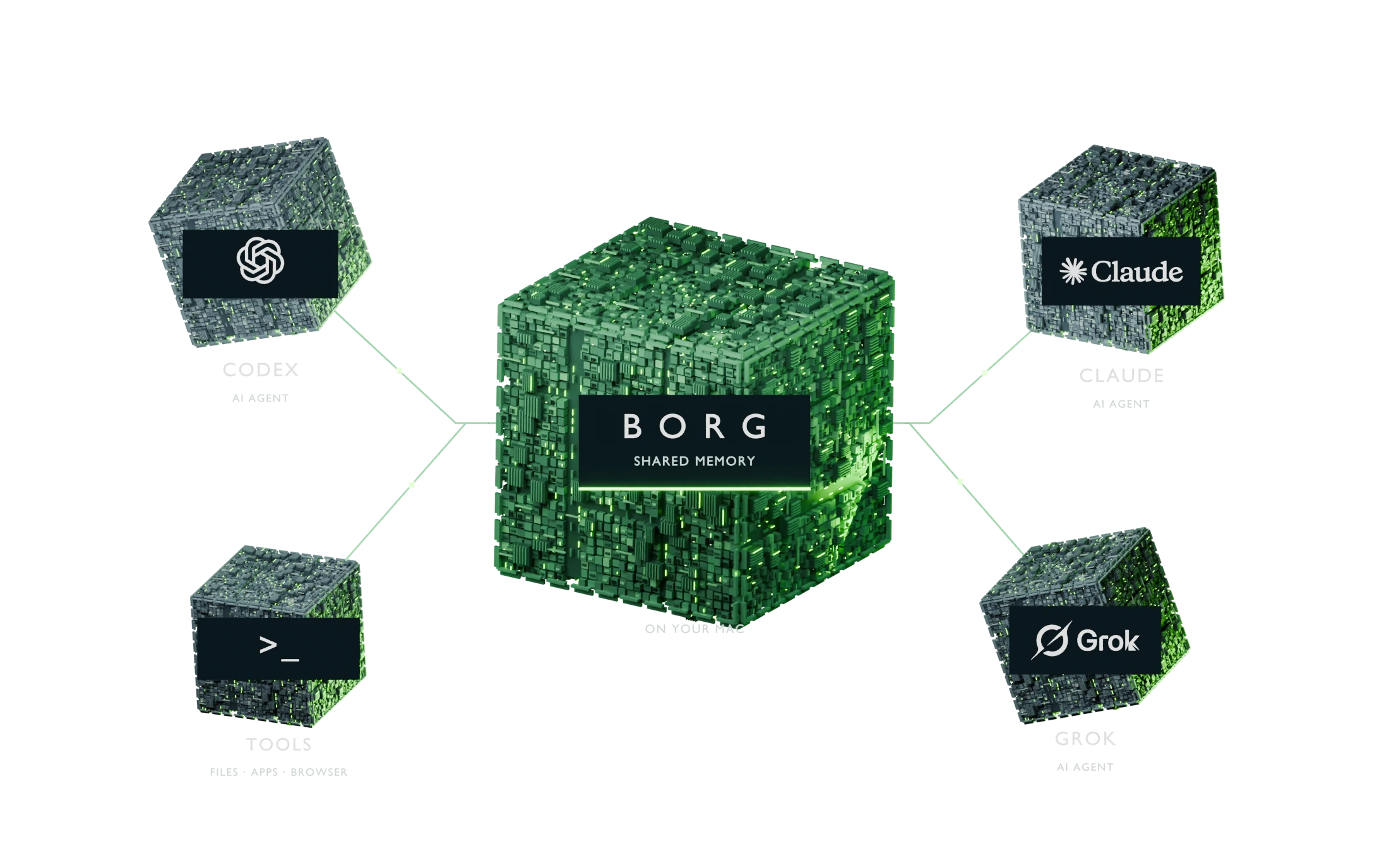
Choose your clients. BORG connects them to your local memory and tools.

GPT / Codex

NATIVE CODEX SETUP

Codex gets a conductor, MCP tools, and automatic memory hooks. ChatGPT web access is an optional OAuth connection.

Claude

Claude

OWNER-CONFIGURED

Connect your own Claude Code client through MCP. Included conductor source requires explicit configuration.

Grok

Grok

OWNER-CONFIGURED

Use a compatible Grok CLI with your own login and MCP setup. Configure and verify the optional conductor separately.

Provider names and logos belong to their owners. See each provider’s setup boundaries ↗

THE COLLECTIVE / A FULL BUILD

Every ship.
A purpose.

A local brain at the center. Provider agents around it. Select a ship to meet its unit, open its systems, and follow the flow of memory and work.

ONE POSSIBLE COLLECTIVE
01 / THE CORE

Memory & coordination

Recall, a temporal graph and local models give agents context. Conductors, Inbox and Beads organize the work you enable.

02 / THE PROVIDERS

Your agents, connected

GPT / Codex, Claude and Grok bring different capabilities. Use your own accounts and complete each provider’s setup.

03 / THE REACH

Tools, nodes & services

Act through native tools and explicitly enrolled remote machines. Add external integrations and evaluate optional research adapters.

Ships represent system roles, not a required number of servers. Each installation starts with its own memory; links illustrate owner-configured connections. External services need separate setup. Research adapters remain inactive.

04 / WHAT THE PUBLIC SOURCE GIVES YOU

One system.
Four connected layers.

Bring your agents, context, and tools together. Each installation starts with its own identity, private data stores, and provider profile.

[ 01 / RECALL ]

A shared local brain.

Semantic memory finds relevant facts. The temporal graph connects entities, relationships, and time. Pinned Qwen extraction and local embeddings power the default brain; your source records remain the authority.

Inside the memory layer
[ 02 / COORDINATE ]

Agents with a plan.

Conductors run agent work. Inbox carries scoped messages and assignments. Beads records the work, its dependencies, and the evidence of completion.

Explore orchestration
[ 03 / ACT ]

Tools on your terms.

Work with files, processes, durable jobs, and a dedicated browser. Native UI tools use normal OS permissions. Explicitly select your configured remote hosts and discover the tools they expose.

See the native tools
[ 04 / LEARN ]

Small models.
Explicit evidence.

Three trained LoRA adapters ship with the source: two for graph extraction, one for memory capture. All remain inactive until exact-base and real-pipeline validation.

Inspect the model cards

INCLUDED RESEARCH / INACTIVE BY DEFAULT

Learning is a process.
Promotion is a decision.

The default brain runs pinned Qwen and a local embedding model. The shipped adapters are optional research artifacts, not a prerequisite for daily use.

None has passed a promotion canary. The capture adapter’s semantic content quality is still unknown. Validate the exact base model and the real extraction workflow before activation.

Read the evidence, including the failures

05 / CHOOSE YOUR FOUNDATION

A home for
the whole system.

Memory, graph, local models, and native tools run together. Plan for the system you will use, with room for your data and other apps.

EVALUATE ON AN EXISTING MAC

Start small.

16 GB unified memory

Plan for 50 GB free SSD

Good for trying BORG with light use. Watch how your Mac handles it before you depend on it.

A starting point from our planning guide.
MORE WORK IN FLIGHT

Leave room to grow.

64+ GB unified memory

Plan for 200 GB free SSD

Room for more agents at once, bigger projects and experiments. Add more machines as you grow.

Each extra agent still uses its share.

Planning tiers from our own use. Setup needs at least 20 GB free for its runtimes, models and caches. The larger amounts above include room to work, and the memory tiers are estimates.

Daily inference ≠ training. Running the default brain does not train models. Optional adapter preparation adds base weights and an MLX runtime; training needs a separately measured workload and budget.

Full native installation: Apple Silicon macOS verified.
Linux and Intel Mac acceptance pending. Windows unsupported.

Hardware guide & evidence

06 / DESIGN YOUR COLLECTIVE

Your work.
Your configuration.

Start with one machine. Choose its role, tools, and workload. See the space it needs, then take your plan with you.

Loading the configuration planner…

07 / INITIALIZE YOUR SYSTEM

Make it yours.

Install your own system first. Connect your own accounts. Add web access when you need it.

FOR YOU / AND YOUR AGENT

Give your agent
the coordinates.

The complete guide explains the system, checks the machine, walks through setup, and defines what a working installation must prove.

HAND THIS TO YOUR AGENT
Read https://borg.utlyze.com/llms.txt and the full installation runbook it links to. Help me set up my own BORG using my chosen machines and blueprint. Inspect the machine first, explain the selected components, use my own accounts, and verify each enabled capability. Report what works and what still needs setup.
START HERE

One install.
Your own BORG.

Needs a Mac with an M-series chip (M1 or newer), 20 GB of free space and your own AI account. Run it from your own user account, without sudo.

  1. 01
    Choose your identity.

    Replace yourname with a stable lowercase owner ID.

  2. 02
    Install the local system.

    Setup downloads pinned runtimes and models into your private BORG home.

  3. 03
    Sign in and verify.

    Read your owner-specific onboarding plan, complete the normal Codex login, then run the readiness checks.

TERMINAL / NEW INSTALLATION
git clone https://github.com/h3ro-dev/borg.git
cd borg
./install.sh --owner yourname
"$HOME/.borg/bin/borg" onboard
"$HOME/.borg/bin/borg" auth codex
"$HOME/.borg/bin/borg" doctor

These commands install and start local services. Codex recall and capture hooks are configured automatically in the dedicated Codex profile. The read-only onboard command prints your next steps; provider sign-in and live verification remain separate.

Full install & recovery guide
OPTIONAL / AFTER LOCAL SETUP

Your brain.
Available from chat.

Connect an existing, running BORG to ChatGPT through your own Cloudflare Access application and tunnel.

  1. 01
    Verify your local installation.

    Keep the host awake and BORG services running.

  2. 02
    Configure your web connection.

    Create your own tunnel, hostname, and Access policy with Managed OAuth.

  3. 03
    Connect and test.

    Add your MCP URL in your client’s available controls, complete sign-in, and test a reversible action.

LOCAL SYSTEM → YOUR GATEWAY → CHATGPT

A connection is not an installation.

An MCP URL connects to a system you already run. It does not install a computer fleet or give access to anyone else’s BORG.

Client plan and workspace controls determine which actions are available. Local health and a successful web sign-in are separate checks.

Follow the web setup guide

Configuration belongs on your machine. This website never asks for account credentials, tokens, or tunnel secrets.

EXISTING INSTALLATION

Trust the checks.

Inspect readiness, discover the current tool schemas, and read your system’s status before asking agents to act.

Health checks distinguish responding services, authenticated memory, trusted hooks, and a pinned provider login. A running process alone does not prove a completed operation.

Operation & recovery
TERMINAL / INSPECT
"$HOME/.borg/bin/borg" onboard
"$HOME/.borg/bin/borg" doctor
"$HOME/.borg/bin/borg" tools browser_
"$HOME/.borg/bin/borg" call borg_status
"$HOME/.borg/bin/bd" list --json

Examples use the default home. If you chose a different location, use that home’s bin/ directory. Inspect operation receipts before repeating a write after a lost connection.

PLATFORM STATUSApple Silicon macOS VerifiedLinux & Intel Mac Native acceptance pendingWindows Unsupported

08 / OPEN SOURCE. OPEN TO INSPECTION.

Your system.
All the way down.

Read the code. Inspect the model cards. Build your own collective from the public repository.

01

BORG code + shipped adapters

MIT licensed. The public source and included adapter weights are yours to inspect and use under the license.

Read the MIT license
02

Base models + dependencies

Upstream components retain their own licenses, including FalkorDB’s SSPL. Model weights and provider services have their own terms.

Third-party notices
03

Your installation + your data

Fresh identities and empty data stores. Your provider accounts, machines, and permissions. No automatic connection to another owner’s fleet.

COLLECTIVE / UNIT DOSSIER
SYSTEM ANATOMY / SELECT A MODULE

A visual anatomy of the software. Select a module to see what it does.

Inspect the source

Follow the signal.

ILLUSTRATED WORKFLOW

Set up this unit
Architecture walkthrough. Connections and readiness depend on your installation.